
In the years before WordPress released the Block Editor, one of the most popular ways to design a WordPress website was through Advanced Custom Fields templates—usually by implementing a module system through a Flexible Content field. We’ve seen dozens of these over the years, and they remain popular today for a few reasons. The Block Editor, while powerful, remains extremely user-unfriendly, it falls into an odd position of not being a truly live editing experience (like Elementor) while looking like it should be. Simultaneously, it is incredibly easy to do something wrong and destroy entire layouts. We have yet to work with any client who likes working with the Block Editor, though it has improved by leaps and bounds compared to when it was first introduced.
A more common thing to see these days is a site designed in one of a dozen different page builders, or using the Block Editor supplemented with ACF blocks. We build about half our sites in Elementor, but the ones we don’t are generally the more interesting ones. For these, we typically use our in-house “page builder” which really isn’t a page builder, but rather, the idea of an ACF module system taken to such an extreme level that it rivals the features of true page builders, and even manages to surpass them in some ways.
Flexibility & Control
The first version of the KMDG Page Builder was made over 10 years ago, to fulfill a specific need: Flexibility, without compromising control. At the time we were building WordPress sites that were heavily templated, but not very flexible once built. Updates to a template required developer intervention for anything beyond basic text edits. The early builder was our solution to that: A module system that allowed developers to template parts of a page while giving content editors the flexibility to assemble a page from editable pieces and parts. This system was nearly identical to the ACF module systems you still see today, with one important caveat.
The Theme System
Since the very first version of the KMDG Page Builder, we’ve embraced the idea of section-level themes. In the early days, the developers would create these themes manually, based on the design comps, and a user would select the theme they wanted to use for each section. This could be something like dark text on a light background, or the opposite. Themes could be made for callout sections, hero banners, etc. The point of this system was to abstract away the design elements of a section and leave that in the hands of the designers, while allowing content editors to manage content. In this way, we were able to achieve pixel-perfect, responsive designs that would stand up to editing by marketing users without technical or design skills.
The theme system became core to the philosophy of the KMDG Page Builder, and is the primary reason we still use it to this day, though its functionality has evolved. Since the early days of the internet it’s been possible to use visual design tools like MS Frontpage or Adobe Dreamweaver to make a webpage with very little technical skill, and modern page builders have reprised that role, allowing total freedom for a user to make bad decisions they aren’t qualified to make. This isn’t their fault, they need that level of flexibility because their user base is undefined in both size and nature—they must support all possible use cases, and must assume that their user is a person building a site entirely on their own.
We need make no such assumptions.
With Great Power…
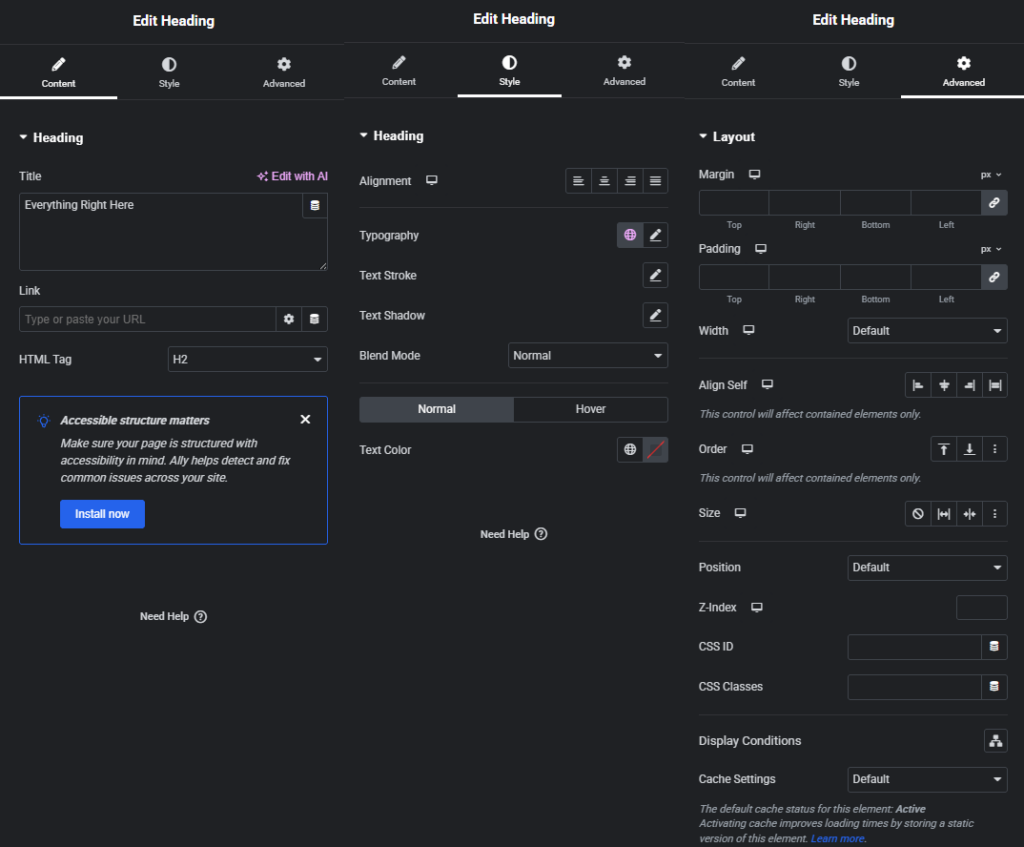
With modern page builders, the block editor, and full-site editing, the ability to edit anything can be a blessing to the right type of user, or you can end up with a site that looks like it belongs on Geocities in the 90’s. Decision paralysis from interface complexity is a real thing, as are users who will simply flip switches randomly, apparently without a care in the world as to what they do. If you give an user without expert-level knowledge expert-level power, the odds that they will use it correctly are very low. Even so, you want them to have the power to do their jobs—the thing they are an expert at—optimally, with as little interference as possible.
The modern KMDG Page Builder abstracts most design questions away from content editors, but makes them fully available to designers and developers. The theme system has evolved, allowing designers to configure themes within WordPress, setting up responsive styles for every element, making font and color choices, channel widths, spacing, etc. These are applied to individual sections, and if updated, apply globally—allowing for easy reskinning. Page layouts are a split responsibility—our designers typically create example pages which can be cloned, but the layouts remain modular, able to be selected and added to a page any number of times, in any number of configurations. Anyone can do this, making page building within the scope of marketing staff without needing to consult a designer or developer to create an on-brand page.
However, this is also true of most ACF module systems, so let’s finally take a look at what puts the modern KMDG Builder into a whole different category.
It’s Modules All The Way Down
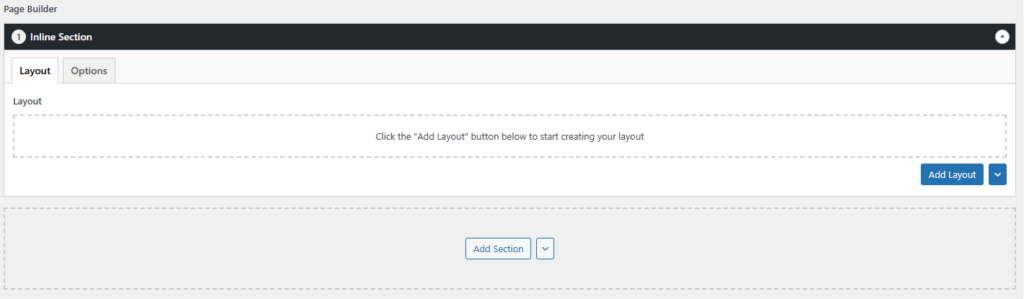
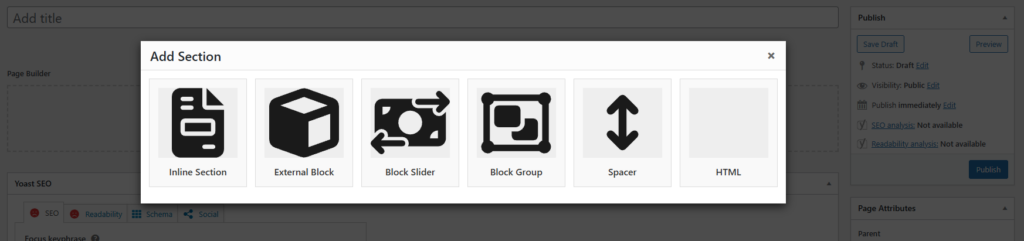
The KMDG Page Builder isn’t a module system, it’s three module systems built into one. At the highest level is the Section—it’s the module type that defines what an area of the page looks like. It determines the theme, the spacing, sets background options, and provides access to another aspect of the builder we’ll get to later: The Advanced Background Editor. There are three main types of Sections: Inline, Block, and Slider. Block allows you to select an Inline Section that can be shared between pages—these are a post type, and have all the functionality of an inline section. Blocks can also receive variables from the parent page they are embedded into, allowing you to create templates with variable text but fixed layouts. The Slider uses Blocks for individual slides, meaning that anything you could put into a Section could also be part of a slideshow.
The next level down is Layouts. Layouts are basically the old module system, they include various column structures (1 column, 2 column, 3 column, 2/3rds / 1/3rd, etc…), and fixed purpose modules that are intended to span a full section. Some examples of these include things like a scrolling logo bar, or a full-channel tab box. Layouts often include things built specifically for the site we’re working on, as well as more generic options relevant to all sites. A Section can contain any number of Layouts, and individual Layouts are responsible for managing their own responsiveness—a content editor doesn’t need to think about how their work will look on mobile devices, because the Layouts they are using individually take care of that for them.
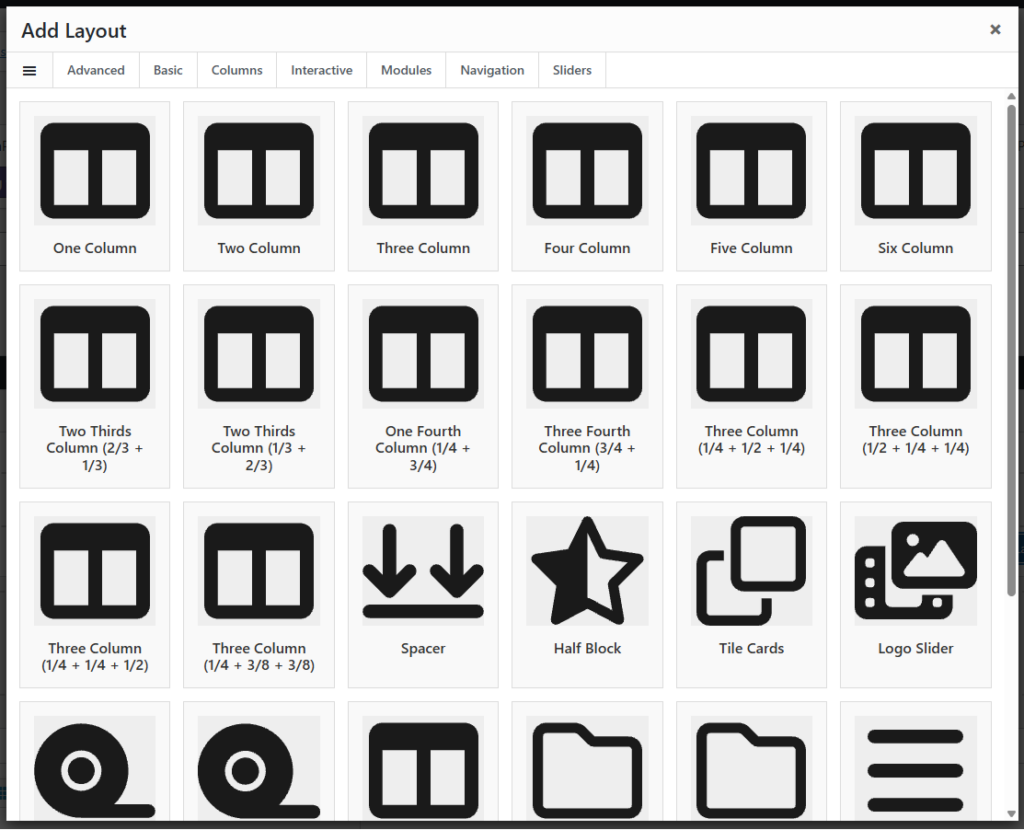

Components are the last level. The Components are the basic—atomic—building blocks of the site. They are things like Rich Text Editor, Image, or Buttons. Components are placed into Layouts to determine the actual content of a Layout, particularly more generic ones like the various column Layouts. A Layout isn’t required to make use of Components, but the ones that do can support any type of content inside them. KMDG Developers define what Components and Layouts exist, and frequently build and customize them for individual sites, but they are also largely reusable, so we save our clients development time by importing Components from one site to the next, provided that they are applicable.
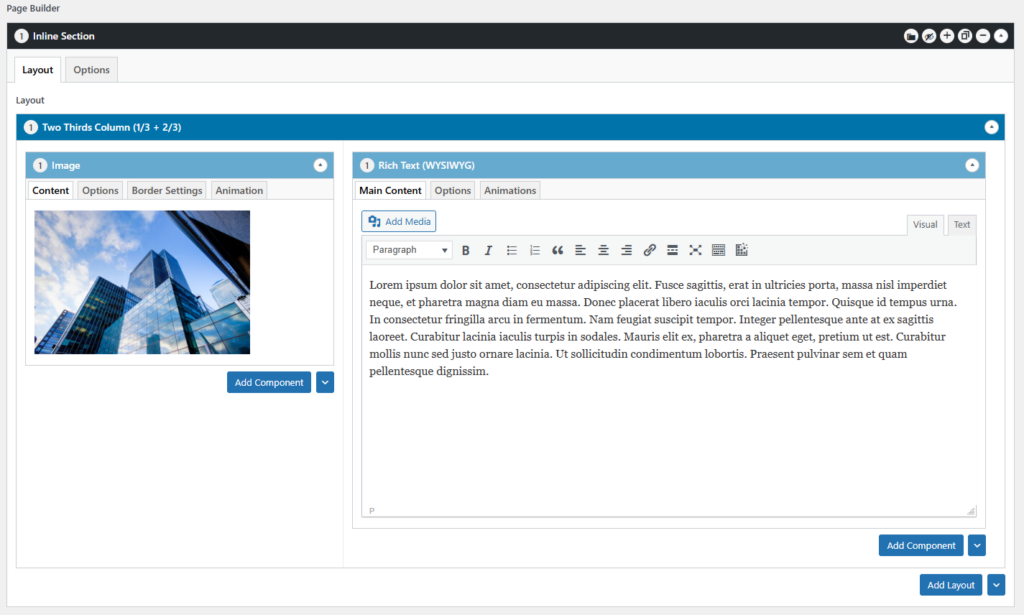
This triple-layer architecture puts the KMDG Builder on a similar playing field to many modern backend page builders (Think Divi, Enfold, WP Bakery, etc), and unlike a lot of ACF module systems we take pains to make sure the backend visually mirrors the frontend. Columns are arranged in their actual positioning on the page, options are hidden behind tabs so that content is presented at the forefront, and custom styles are used to optimize the ACF experience for editors. Since the Builder is customized for every install, it fits the site it is being used on better than any generic builder would. At the same time, we take great pains toward maintaining backward compatibility, and we’ve been able to upgrade sites that were over five years old to modern versions without losing content.
However, that’s not where it ends.
So I Hear You Like Blocks…
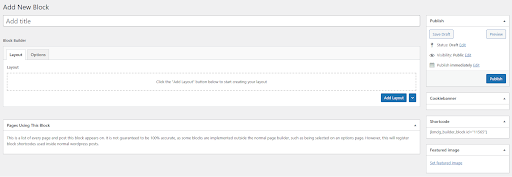
The builder block system is one of the more powerful aspects of the KMDG Page Builder. You could compare them to Elementor templates or WordPress Synced Patterns. They are full-featured Sections, able to contain Layouts and Components. Where it starts getting a little wild is that there is a Block Component. Yes—you can nest an entire Section inside of a column, and yes, it’s fully responsive.
This can be used to create staggeringly complex layouts, without needing any special editing tools. It means that the background and theme controls available to Sections can be placed at the Component level. You can make two Blocks, each with different background images, and place them side-by-side on a page. Both Blocks could contain a three column Layout, with all six columns having their own arbitrary number of Components.
Are there sanity limits? Yes. Just like with anything just because you can doesn’t mean you should. However, since we fully control all aspects of the Builder, we can enforce those limits when we need to (for example, we can prevent Blocks from containing other Blocks—this isn’t a technical limitation, it’s a practical one).
But Wait, There’s More!
The KMDG Page Builder also includes a feature called Advanced Backgrounds. This is off by default, but can be enabled on a section-by-section basis. It’s a powerful feature allowing for multiple background images to be added to any Section, individually positioned, given special effects, and even animated.
Did we mention that the Builder has an animation library and that every Component can be animated? No? Well, we generally leave that off by default too, mostly because we think animations beyond subtle fades are distracting, but it’s there if you want it, and the Advanced Background system can tie into it as well, allowing individual background elements to be animated similar to a PowerPoint presentation, using timing controls and optional looping. This also ties into the Block Slider, and animations can be triggered based on slide visibility, allowing you to build sliders that rival what dedicated slider plugins can create.
Another way that the KMDG Page Builder is unusual, and another reason why it approaches being a true page builder, rather than a module system, is that it includes a caching system similar to that of many other page builders. When you create a Page or Block using our builder, it renders the full HTML for itself and stores it as a flat file. This means that when WordPress goes to display that Page or Block, all the ACF database queries that would normally slow down a page (with potentially thousands of fields) simply don’t happen. The HTML for the Page/Block is located and displayed. Shortcode execution is deferred, allowing third-party plugins to operate normally, but the Builder itself does all the hard work when you save the page, not when someone loads it.
Additionally, if you know anything about ACF and WordPress metadata storage, you may be physically cringing at the idea of having multiple nested flexible content fields. For those that don’t know, WordPress stores all its custom field data in a single database table that tends to balloon in size. ACF makes this worse with its Flexible Content and Repeater fields, as removing or rearranging a field can orphan data in your database. However, the KMDG Page Builder contains a built-in fix for this issue, cleaning up its own orphaned data on every page save, making sure that only what you’re actually using is in the database (when we first implemented this, it shaved 300mb off database of the site we tested it with).
We’ve also implemented ACF Extended’s AJAX loading for Flexible Content fields, significantly speeding up the editing experience by correcting a flaw in ACF’s handling of Clone fields, and we support their Ultra Engine for even better database optimization. A number of other quality of life features are supported, such as keeping track of every page a particular Block, Layout, or Component is used on, allowing you to quickly verify that updates worked correctly site-wide. By design, all parts of the builder are kept in sync when updated, making a change to a Component doesn’t require you to rebuild every page featuring that Component. This makes ongoing maintenance and reskins wildly easier to manage than in many other systems, where site-wide changes may require touching every single page.

If It’s So Great, Why Not Always Use It?
I mentioned at the start of this that we use the KMDG Page Builder for about 50% of our websites. Why? Because it’s not always the right tool for the job. Other page builders, the WP Block Editor, and even simple module systems still have their place. The KMDG Builder is a powerful tool, but if we’re going to be the ones primarily editing the content of a site, it may not be needed. We can self-manage and build custom elements for Elementor, custom WP Blocks, etc. If we’re policing a site, not just handing it over, then sometimes a system with less safeguards and more visual editing is the fastest way to do it. Other times, a site may genuinely need the sort of design flexibility that a generic page builder plugin can provide.
We assess each project that comes our way individually, picking the right tool for the job. This often includes interviewing a client and having them self-assess their needs based on information like this blog post—in this way, we can match them up to the appropriate solution for their needs. We are of the opinion that our builder is best in class for what it is, but that doesn’t mean it’s the correct solution to every problem.
However, just because we don’t always use our in-house page builder, every site we make uses a variety of other modular tools we’ve built for a huge variety of different use cases. We have an in-house theme and plugin development framework that adds MVC routing, reusable code components, and by-default security hardening; we have a Resource Center that provides integration with various CRMs and marketing automation tools for lead generation; we have a mega-menu plugin that vastly simplifies the process of building a rich WordPress menu; we have a highly configurable filter and feed system; a custom post status for archived content; a microsite system that can replace the need for WordPress Multisites; and so much more.
The KMDG Page Builder was the first in a long line of high-quality custom tools we’ve built for WordPress over the years, and it has been through several iterations, and will likely go through several more. It may have been the first, but it was certainly not the last, and while it continues to be an important tool in our arsenal it has long since been joined by an entire suite of powerful plugins available to our clients.